Showing posts with label Windows. Show all posts

Monday, January 12, 2009

Utilizing Hercules RMX w/ Grooveboxes to expand Live Performance

0 comments

A couple of days ago I blogged about the recently released Hercules Steel DJ controller. What I failed to blog about was the also released and perhaps even cooler Hercules RMX. It features all of the build quality and surface buttons of the Steel, but offers a 2in/2out USB interface as well. One LivePA.org member has recently purchased one and has put it to good use in expanding his LivePA setup. Lets here how he is using it.


Quote from MagpieIndustries:

How are you utilizing the Hercules RMX into your setup?

I am experimenting with the following. I take my grooveboxes [Korg ESX-1 and EMX-1] and jam for a while until I have some nice patterns with variations going on. Next, I record some medium length sequences (anything from a few bars to a full song) straight into my computer in two layers, usually drums and bassline, and everything else. While recording, I make sure to have intros and outros and some sections that are quite minimal. Next, I take my Hercules RMX and Traktor, and play these recordings back. While playing, I add in a whole load of cue points, and I have the DJ controller set up so I can hop between these cue points, apply effects, loop different parts and do beat juggling tricks etc. I can even have both my Electribes going directly into Traktor through the RMX as it is a two-stereo in/out soundcard, and keep midi sync with Traktor. The RMX is my key from getting out of groovebox jamming mode and into longer arrangements. I'm slowly getting some DJ tricks together for transitioning between parts. It's realtime arrangement while still having that jamming feeling going on and it's showing a lot of promise.

What are some of the advantages to the Hercules RMX and what are  your thoughts on it?

I LOVE my Hercules RMX. It's solid and heavy, and rugged enough to take out to milder parties without fears. It is completely usb bus powered, so no extra wall wart needed which is fantastic. If you want to go out to a cafe or friends house its just stuff it and a laptop in the bag (it comes with a bag) and go. Awesome!!  It's also a four channel (two stereo pairs) soundcard, so you can cue up stuff in your headphones, and best of all it also has two stereo inputs. Audio quality is pretty good. I'm  not  an experienced DJ so I can't really compare the feel of the crossfader and pitches with other gear, but for me it works just as I expected and I have very few complaints.

What are some negatives regarding the Hercules RMX and its setup?
Now onto the negatives. The buttons are a tad stiff and travel quite a distance before making contact, something that detracts from the feel, but not terribly so. You might think from the photos that all the buttons light up, but this is not the case, the EQ kill switches for instance are disappointingly without illumination. The jog wheels are great for zipping back and forth in a track, or to scroll up and down in a list of tracks, but if you want to do scratching go get some vinyl. Same probably goes for beatmatching, although this is controversial. I just press Sync and have Traktor beatmatch everything, if you consider that cheating then fine, I'm too busy doing a hundred other things to worry about being a purist. It's digital djing after all, so focus on the cue and loop point juggling tricks rather than beatmatching.
One thing I miss is some way to have an effect send level. The Torq Xponent has four knobs per deck just for effects, which is much nicer, and with the jogwheels at the back (smart for digital dj priorities I think), but the xponent is very plastic and doesnt have the audio inputs, and is way more expensive. There are enough buttons on it to have several Shift modifiers set up, and I've been experimenting with mapping and remapping the EQ knobs and switches to also work as effects sends and levels, still need to find a layout that works best.


It's crashed my macbook a couple of times, but always exactly when I connect it to the usb port. A reboot solves this. Once it's successfully connected it remains working.


In terms of its competition it's kicking major ass. A possible alternative is the Vestax VCI-100 which is very popular, and apparently a bit better for scratching and beatmatching. Not a soundcard though. The Torq Xponent has the smartest controlset of them all IMHO but without audio in it's no good [for LivePA]. I've heard the faders on it are featherlight, your sleeve can accidently knock the pitch way off, and the overall feel is very plasticy. The new Vestax VCI-300 is definitely the sexiest looking of the bunch, with high resolution jog wheels and inbuilt sound, but it's over twice the price and also lacks some dedicated knobs for effects. If you are after sheer bang for the buck, then I don't think there is any competition whatsoever.


I'd like to also mention a bit about Traktor Pro, which has quite a different workflow to it than sequencing in Ableton Live, but it's clear that both programs are slowly converging on a similar solution. Ableton offers a great method for testing out how different loops and clips work together, but personally I just got lost in a mass of clips and find it difficult to sequence my way into a decent performance. Traktor leans more towards an arrangement style, don't forget that it is a dedicated tool designed purely for creating long live sets. There is no reason to stick to playing finished mp3s. It doesn't have the editing features of ableton, not by a long shot, but it's designed to work at a slightly higher level than that. It's awesome for layering, looping and blending loops and minimal tracks. I tend to have two decks with premade tracks playing, and two decks for the electribes (which I usually leave just playing right through). It's possible to record the master output as a wav and load it in a deck without much fuss. Traktor Pro also finally added midi slave functionality, and is far smoother for looping than previous versions. Finally, when you get sick of jamming and making live sets, you can just chill out and DJ some tunes together.

Overall he has a very interesting concept going on. I know more than one LivePA artist who feels like Ableton Live may be overkill for their needs or is instead too cumbersome for the quick edits needed on the spot. This is a great example on the whole though of the convergence of not only the DJ and LivePA worlds, but also how Ableton Live is not the only game in town with regards to software for LivePA.

Monday, January 05, 2009

Monotouch Live Midi Controller Project

3 comments


.:Monotouch Live Midi Controller Project:.

Jazzmutant's Lemur touch control interface is an amazing piece of hardware that has been utilize by many an artist, including Daft Punk. The problem with the Lemur more than anything is the price. At nearly $3,000 it is quite a hefty sum for most artists to shell out.

Fear not though, the open source community has come through again with an alternative to the Lemur called the MonoTouch Live Project. The Monotouch Live Project is a software development project designed to take advantage of touch screen tablet PC's.

Quote:

"The [Monotouch] software package is a stand-alone software controller, with a six channel mixer, designed to allow control over Ableton Live with a touch screen, bringing compatibility to both Windows XP and Apple bootcamp machines. Using the touch screen interface and a normal display, the innovation is almost ready for its first release, and incorporates a crossfader, various start stop buttons, track navigation alongside effect parameters and eq in its simple yet powerful interface...The basic idea is take advantage of any computer capable of managing two monitors at same time (dual desktop, extended desktop). Absolutely all new models of PC notebooks, and new Intel Macs, can support this feature. MonoTouchLive runs on the second LCD touch screen capable monitor, or can run on tablet PC and take control of remote machine using IP over LAN software."


The software currently only supports single touch capbilities due to the limitations of current touch screen monitors, but the platform developer currently seems to be very receptive to suggestions based on the information on his website. A soon to be release version in the future will allow for customized interfaces.

The software currently appears to be in a sort of BETA with a demo available to everyone and a full FREE unlocked version to you once you write back to the author to express your thoughts and current setup with the software.

via Orju.net

Sunday, June 29, 2008

8 Free, Cross-Platform Apps for Musicians

2 comments

Looking for some new and interesting software to whet your appetite? While these software programs are not necessarily Live oriented they are off the beaten path and could help you with a spur of inspiration.

Traverso

Traverso

Traverso is a lightweight but powerful DAW that works on Windows, Mac OS X and Linux. Professionals who’ve tried this software comment that despite some strange interface decisions (such as having to hold shift and click to move the playhead), it’s a viable option for those looking for a free alternative.


Ardour

Ardour

Ardour runs on Mac OS X and Linux making it cross-platform only to an extent, but this app, despite not running on the most ubiquitous system of them all, has grown in popularity and has quite a vocal and happy user base.


Audacity

Audacity

Every studio, home or professional, needs a good dedicated audio editor to run alongside the DAW. Audacity fills this role perfectly. You could even make a demo of a full song using Audacity, with a bit of work, though I wouldn’t recommend it! I actually tried to do this four or five years ago - we got something usable out of it, but let’s just say it wasn’t one of those projects where you use a take or two from the demo.


Hydrogen

Hydrogen

While Hydrogen bills itself as an advanced drum sequencer for GNU/Linux, it’s also available on Windows and Mac OS X. If you’ve got the samples, there’s nothing to stop you from using Hydrogen as a sequencer, but it really shines when you’re putting together programmed drum tracks.


MidiSwing

MidiSwing

MidiSwing is a very lightweight, minimalist MIDI sequencer. There’s not a whole lot of fiddling to do with MidiSwing because of its simplicity, which means the geek in you will be disappointed but you’ll be able to get to work quicker, and get more done. Perhaps this is the kind of interface you need to compose your tune before importing it into a more complicated sequencer—if you’re the type who fiddles with synthesizers for a few hours before writing a single note, this might solve your productivity problems.


Frinika

Frinika

While Frinika’s website could be a little friendlier, this sequencer also runs on Java, so it’s totally cross-platform. Despite the fact that it’s only reached version 0.5, it shows a lot of promise and it seems to be more advanced than MidiSwing, so it’s definitely worth checking out and having a play with.


Finale NotePad

Finale NotePad

As much as we all hate notation, sometimes it’s a necessary evil. Perhaps you’re licensing a song to a publisher who needs a lead sheet, and you don’t have the software to handle the job.

While Finale’s NotePad isn’t open source like most of the applications listed here, it is both free and cross-platform, with versions available for Windows and Mac OS X.


MuseScore

MuseScore

Since Finale NotePad doesn’t cover Linux users, we can’t leave without providing an option that does. MuseScore is available for both Linux and Windows.

MuseScore handles MIDI, features WYSIWIG notation editing, and a built-in sequencer and synthesizer so you can check that your notation sounds correct (definitely a plus if notation is not somewhere you usually go).


via Blog.AudioJungle.net

Monday, March 24, 2008

SonArt BassBox Free Sample Pack 1.3 GB of Samples!!!!

3 comments


Now I normally do not post sample libraries, but when the price is free and it is 1.3 GB of samples I have to pass it along to everyone out there. The sample library appears to be in several sample formats for all of you out there who have that "one" sampler you love so much.

.:SonArt BassBox Free Sample Pack 1.3 GB of Samples!!!!:.

The latest material was created for such styles as Electro, trance styles, DnB, House, Electro, Hip Hop, Jump, hardcore, breakbeat and more!!! The disc contains 640 new patches in 5 different formats (EXS24, Kontakt 2.1, Kontakt, Halion and Wav). BASS BOX creates sounds based on more than 1000 wave forms (1.3 GB / 24-bit quality). While working on the tools we have used a large number of synthesizers and Bass boxes (Minimoog™, Roland Juno 60™, Roland TB-303™, Virus™, Arp Odyssey™, Moog Voyager™ and many others!)

Features in Detail:
* Massive 1.3 gig 24-bit core wav library
* 640 new patches
* 5 different formats (EXS24, Kontakt 2.1, Kontakt, Halion and Wav)
* All NEW Sounds developed by SONART sound designers.
* Hundreds of brand new Basses.
* Fully programmable
* Sounds legendary synthesizer (Minimoog™, Roland Juno 60™, Roland TB-303™, Virus™, Arp Odyssey™, Moog Voyager™ and many others!)

Formats: 1.3GB DVD multipack (1600+ files), includes 24-Bit Wavs (1.3Gb+MB, 1000+ files), EXS24, Kontakt 2.1, Kontakt and Halion patches (640+ files).


via ProAudioNews.net

Saturday, March 15, 2008

Using a Point of Sale (POS) Keyboard in Ableton?

1 comments


Over at the LivePA.org boards user Vayperlok posted an interesting question regarding a keyboard and Ableton. Now I am sure all of us out there with laptops, especially those used for live usage are looking for the perfect midi controller. We have seen the popularity of Monome and others of its like, but Vayperlok brought up a really great idea. Could you use a POS keyboard instead of a QWERTY keyboard to achieve this goal?

Having an army of self programmable keys in front of you like that seems like it would be a fantastic solution for triggering loops and midi. Has anyone had any experience using a POS keyboard in Ableton or any other DAW? We would love to hear your opinion on the matter of how easy or difficult it is to not only program the keyboard but also setup the DAW software to accept an input keyboard for music notes.

Tuesday, March 11, 2008

Ambiloop: Free Realtime Loop Software

0 comments


Ambiloop.com


Now here is a piece of software straight out of the 1990's. I have known about Ambiloop for probably more than 8-9 years and it is one of those pieces of software that I thought was cool, but never could really find a place for it. I just happened to stumble across it today while browsing on Yahoo Groups. For those who do not know, Ambiloop is a free windows software that essentially is a looping machine. What is so nice about it however is that it basically works endlessly as a tape delay or something like that. Its niche but a very cool concept none the less. If anyone has ever heard William Basinski's "Disintegration Loops" music the concept can be the same.

Quote from the website:

Ambiloop basically functions like a multi-track endless audio tape loop or digital delay box with feedback. Simply set the desired loop time for a track (or use manual mode to set loop times on-the-fly) and press the record button. Incoming audio is recorded in real time for the length of the loop. Recording continues seamlessly as the loop repeats and the previously recorded audio begins playing back at a volume set by the feedback control. Or just grab a single loop on the fly with the Insert Record feature. Ambiloop will play up to eight tracks simultaneously. Loops can be slowed to half speed or played backwards and a multimode filter is available for non-destructive, realtime filtering


It is worth the download just for the fun of it.

Thursday, December 06, 2007

Ableton 7 Released!!!!

0 comments


.:Ableton Live 7 Released:.

Looks like Ableton after a very short BETA run of the new Ableton Live software has released version 7.0 to the masses. As part of this new 7.0 release Ableton has gone the route of so many other DAW manufacturers these days and has "created" a suite with the release of its software.

As part of this suite comes six new instruments including an electric piano, a VA synth, a string modeling synthesizer, and a couple of drum synths.

The price for Ableton 7 is still at $499 US and the suite package comes in at $799. For those people who have purchased version 6 since October of this year, you are eligible for a free upgrade. There are also several upgrade paths available for all of the Ableton Live users regardless of your version with prices starting at $119. For more information head on over to the Ableton website.

Sunday, September 16, 2007

Patching Up A Gig With Reason

0 comments

.:Patching Up A Gig With Reason:.

The above link is a nice little summary outlining the ways in which Reason's racks can be utilized for a live performance setting.

Friday, August 17, 2007

Results of the 1st LivePA Poll: What do you use for your LivePA?

1 comments


Well the results are in on the first poll. Man, I gotta say I was expecting more of you out there to respond. Only 20 votes? Now we are by no means a huge traffic site, if anything we are about as niche as you can get, but we are getting well of 100 hits a day on the low end.

Perhaps I was just naive to think that many readers were actually performing live.

Besides all that though, the results came up to be pretty interesting. I was not expecting so many people to be using hardware only these days. It also looks like our strongest group also then swayed to the Mac+Gear camp. That sure debunks my impression of most LivePA artists rocking out on a Dell with Ableton Live.

So anyone have any suggestions for another poll?

Tuesday, August 14, 2007

Anyone Using FLstudio Live Mode?

2 comments


FLStudio 7 had the release of a new Live Mode. The feature however has gone relatively under the radar for just about everyone. Most FLstudio users that I have talked to are not even aware of the feature. Is there a great live environment lurking out there that we just aren't utilizing?

So has anyone out there explored FLstudio's live mode at all? Anyone care to share some details on it? Here is the best information I could find on it.


6. Live Mode
Turns on/off the live mode feature of the Playlist. In live mode, you can see an on/off switch next to the name of each pattern track (8), enabling you to quickly turn a playing pattern on and off without drawing a fixed sequence with bars. As the name suggests, this feature is useful primarily for live performances and for testing various Playlist arrangements 'on the fly'.

You can also control the on/off switches and jumping to time markers using the keys on your MIDI keyboard (see MIDI Settings).

Note: In Live Mode the song marker will only jump to the next bar/time marker when the playing bar is finished, in order to keeping the timing intact. This differs from standard mode in which the jump is immediate

Wednesday, July 25, 2007

AirRack: Free Effects Rack for Live Audio

0 comments


.:Maizesoft AirRack @ KVR:.

Chinese Software developer Maizesoft has released a very cool little tool called AirRack. AirRack is a live audio rack environment, similar to Reason in many respects, designed for live audio effects. The rack comes with nine modules:

Amplifier: the component to connect with the audio interface.
Mixer: route other devices to the amplifier.
Effects: dual effects which load VST effect plug-ins.
VSTi Loader: allow you to give real-time performance.
MP3 player: play MP3 audio file.
CD player: play the CD track with your CD-ROM.
Loop player: play an audio file as a loop.
Sound FX: a simple sampler to trigger sound effects.
Graphic EQ: 31 band graphic EQ.

The program can load VSTi and VST instruments. Cost is FREE and is Windows only. Unfortunately, since I am a Mac user I cannot try this out, so would any of our Windows readers perhaps like to give this a download and a try?

You can download it at the website .:Maizesoft.cn:. (which is in Chinese) or over at KVR at the above link.

Wednesday, July 11, 2007

LiveAPI.org - Ableton Live, Open at Last

1 comments


.:LiveAPI.org:.

Slow to be on the ball with this one, I know, but with the rush on the net about the Ableton Live API hack I figured I would let the commotion settle down, and then shoot a nice sweet injection back into everyone's veins who may have missed the news.

So what is this project? Well basically some hackers went and got their little fingers into Ableton Live to open it up through Python access. The project already has three packages including Python support, OpenSoundControl (OSC) and the Ableton Live API documentation.

Frankly, I am not a coder so I don't know what all this means, but here is what the Liveapi.org boys have to say.

Quote:

The trick here is to detach yourself from thinking MIDI, think combos, think interactions, think progressive organic behavior that you have control over using an object oriented language rather than being limited to 'on/off' of a note or 1-127 on a CC.

And finally, OSC isn't really 'the big deal' about LiveAPi, the Python API access is. It's basically an example of how powerful this interface can be, we shimmed in a network transport layer interface to allow remote control. Just imagine what you'll be able to do.

On the ho-hum side of things, you could recolor your clips automatically if you wanted. All bass immediately becomes green, all leads red, etc. You could do name matching on that type of stuff. Or, you could 'tie' knobs together.. Turn a dial from 1-127, another dial goes from 127-1 inversely. If that kind of stuff doesn't turn you on and you don't do performance stuff, then this probably isn't a big deal for you -- yet.

I've been dreaming up ideas since the release that have nothing to do with playing music, but are more about automating processes within Ableton to save me time.. But that's just what _I_ want. You've got the power to make what _you_ want.

Tuesday, April 10, 2007

TC Electronic Konnekt Live

0 comments


.:Konnekt Live:.

At this past week's Musikesse T.C. Electronics announced the release of a very interesting little audio interface that is designed for live performance. This new sound interface is called the Konnekt Live and it features a master compressor and finalizer on the analog outputs, as well as extensive output routing. The Konnekt Live offloads the master out DSP processing from your computer, to the audio interface.

DSP effects on the unit include the following:
Fabrik C Live
3-band finalizing compressor with MINT (Meta Intuitive Navigation Technology)

Fabrik R Live
Nine classic reverb algorithms

ResFilter
Lo-cut/hi-cut filter with 6, 12 and 24 dB slopes. It also features inter-communication-bus facilitates for controlling and tweaking multiple plug-ins and parameters from one plug-in.

via Sonicstate.com

Wednesday, April 04, 2007

RealGuitar & RealGuitar Toolbox

1 comments


.:RealGuitar Toolbox:.

MusicLAB, the makers of the RealGuitar software, has released a new software interface called RealGuitar Toolbox which enables the user to use the RealGuitar software in a live setting via keyboard or the keytar. Rock on!!!!!!!

For those unfamiliar, RealGuitar is a sample based software guitar instrument that can be played standalone or as a VST plugin. Now why you would not play a real guitar is not entirely clear to me, but if you need to rock out with your keytar here is a good way to do so.

The Toolbox features include:

Play solo and accompaniment guitar parts simultaneously with two individual RealGuitars from a single keyboard using the advanced key split MIDI Input;

Perform accompaniment guitar part with RealGuitar and solo part with any third party synth loaded directly to RealGuitar ToolBox;

Switch on the fly between up to 12 RealGuitars having fully individual settings, including guitar patch, performance mode, any parameter values, panning, etc;

Add audio effects installed on your system to RealGuitar ToolBox output;
Save all configurations as RG ToolBox presets for future use.


Price is $40 for the Toolbox and $160 for the RealGuitar software itself. Both come in both Mac and Windows forms.

via Sonicstate.com

Wednesday, March 28, 2007

lloop: MAX/MSP Live Looping Interface

0 comments


.:Download lloopp:.

lloopp is a software written in max/msp, designed for live-improvising. lloopp is freeware, and open source. lloopp is written by artists who use this very software for their performances. The lloopp programers are open to anybody who is into max-programming, and invites them to join in on development.

Note that lloopp needs max/msp installed, and the the visual aspect of lloopp also needs jitter.

Tuesday, March 13, 2007

Livecut: Beat Cutting VST/AU Plugin

1 comments


.:Livecut by MDSP @ Smartelectronix:.

Livecut is a VST and AU plugin developed by MDSP over at the smartelectronix crew. It is based upon the BBCut Supercollider, which was a loop manipulation tool. Livecut does not have all of the features of the Supercollider script, but it comes in a very neat package that you can use in any software with nice interface.

Livecut is only a small subset of what is possible with BBCut, but as it is available as a VST plugin, it is much easier to start experimenting with it.

It is a live beat-slicer but instead of manipulating equal chunks of audio like most beatslicer do, it works on the notion of audio cuts whose length and number of repetition depends on the context and the cutting procedure. cuts are organized in blocks which then form a phrase. And each phrase can be ended by a roll or fill.


Livecut is free and it comes in both Univeral AU plugin and VST.

Wednesday, March 07, 2007

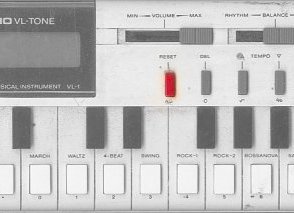
Casio VL-1 Tone Emulator VST

0 comments


.:Casio VL-1 VST:.

I seem to be stumbling across all sorts of interesting VST plugins as of late. The latest I have found is an emulation of the old Casio VL-1 Tone Emulator. I can't actually try this one out myself to see how true it is, but I know there were tons of fans out there for the little VL-1, and the nostalgia factor alone almost makes this worth the download. By the way, it is FREE!!!!!

Sunday, March 04, 2007

Mobis: Reconstructive Synthesis

0 comments


.:Mobis Synth:.

Mopis is a high-quality software synthesizer that combines traditional subtractive synthesis with new technology we call reconstructive synthesis. Reconstructive synthesis adds a new dimension to your creations. Mopis can analyze your audio sample and create an oscillator that mimics the sample's properties. You can then play the sample back and bend it to your will. The end results are pretty cool and land somewhere between a vocoder, autotune and wavetable synthesis.

The plugin is free for personal use, but you need to spend $50.00 if you plan to use it commercially. Pretty fair deal if I say so.

Thursday, March 01, 2007

Cubase 4 Update

0 comments


.:Cubase 4 Update:.

This morning Steinberg released their long-anticipated update to Cubase 4 - including a laundry list of bugfixes - at their home site:

Cubase 4's latest version is 4.0.2.2213, and the update is (thankfully) free.

Thursday, February 22, 2007

Liveslice: Live Looping VST Plugin

0 comments


.:Livelab Liveslice:.

Liveslice is a VST (and Buzz plugin) that does exactly what it says. It slices up loops quickly and allows you re-arrange them in multiple ways and trigger them back in realtime. While it is certainly true that programs like Ableton Live can do this as well, Liveslice will work in any host and offers you the ability to save and create banks of chopped up loops in realtime while the audio is running. If you a Buzz Tracker user Liveslice is a free download, but a VST version of Liveslice VST will cost you 50 Euros or about $64 US.

Features:
Automatic or manual slicing
ACIDized loop import and export
Multitrack sequencer with snap / quantize
Host sync
Audio recording - synced to the host - can be used as a realtime dicer / granulator
Hi quality resampling using spline interpolation
Low CPU usage
Integrated loop browser with preview
full MIDI control
up to 32 tracks, 64 loops, 256 slices
resizable gui, zoom in slicer
up to 8 outputs with individual slice routing
integrated loop browser with preview
loads all uncompressed .wav formats
supports any sample rate